Yoshi Machida
Monthly budget spreadsheet
Keep your household budget and transaction records together. Enter planned amounts, add transactions as they happen and review the monthly and annual totals. Sample figures are fictional. The promotional demonstration workbook is not included; your download starts blank.
Inside the workbook
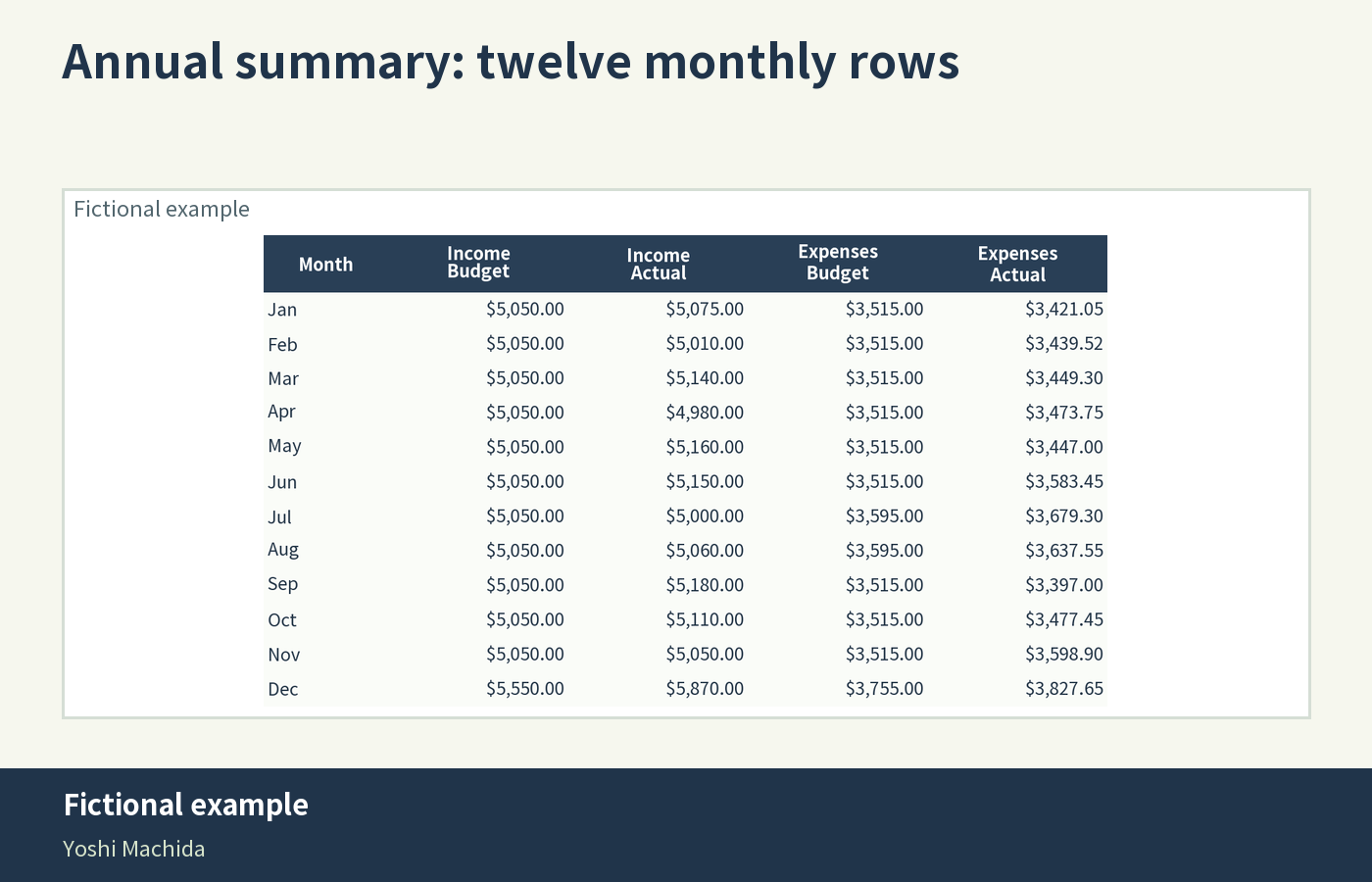
- 12 monthly sheets, January through December, plus an annual summary and instructions: 14 sheets in total.
- 25 budget categories: 5 income, 8 fixed expense, 8 variable expense and 4 savings categories.
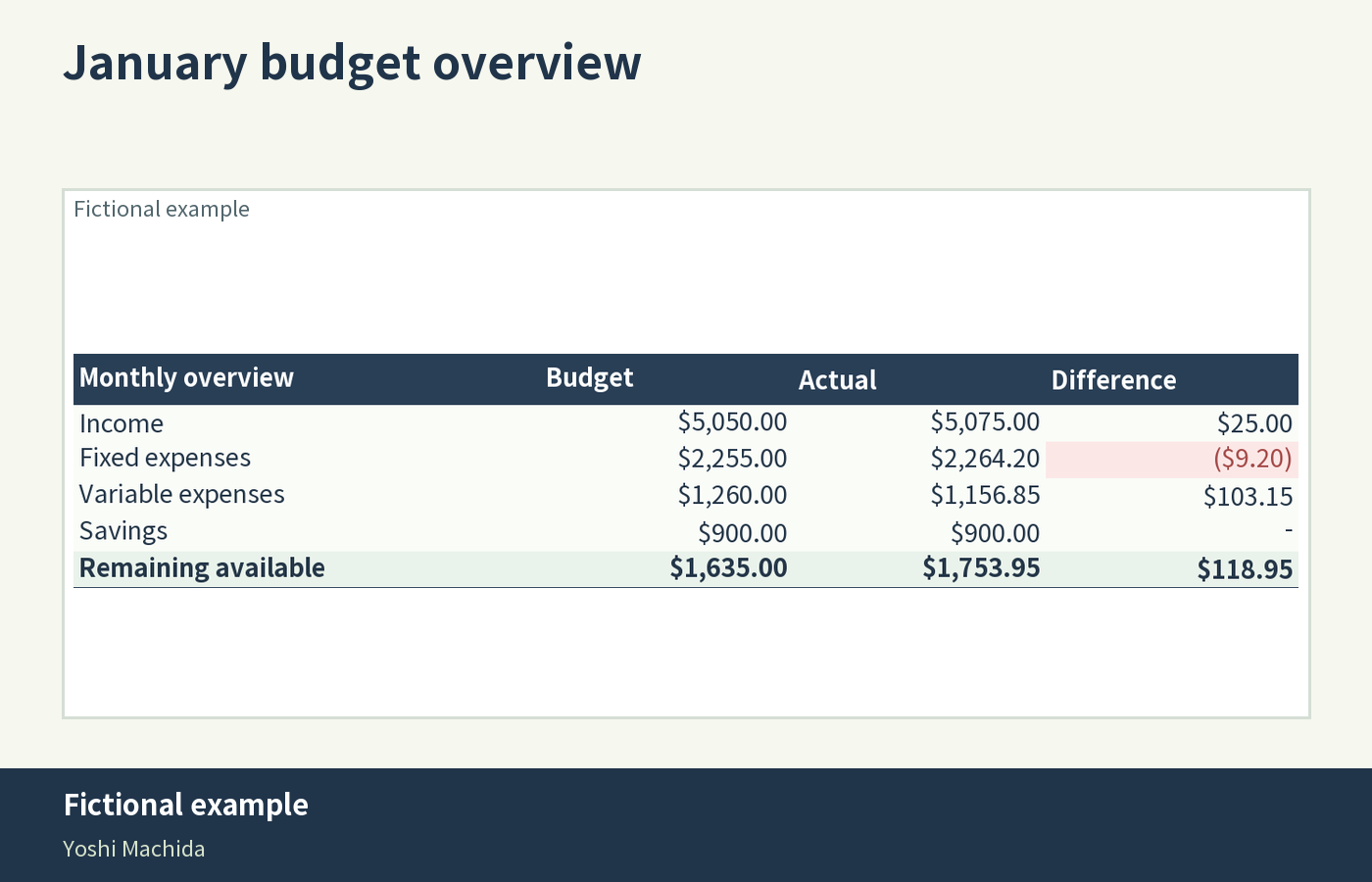
- Budget, actual and difference columns for each category, with automatic totals.
- A starting balance for January, automatic balance carry-forward into later months and calculated remaining balances.
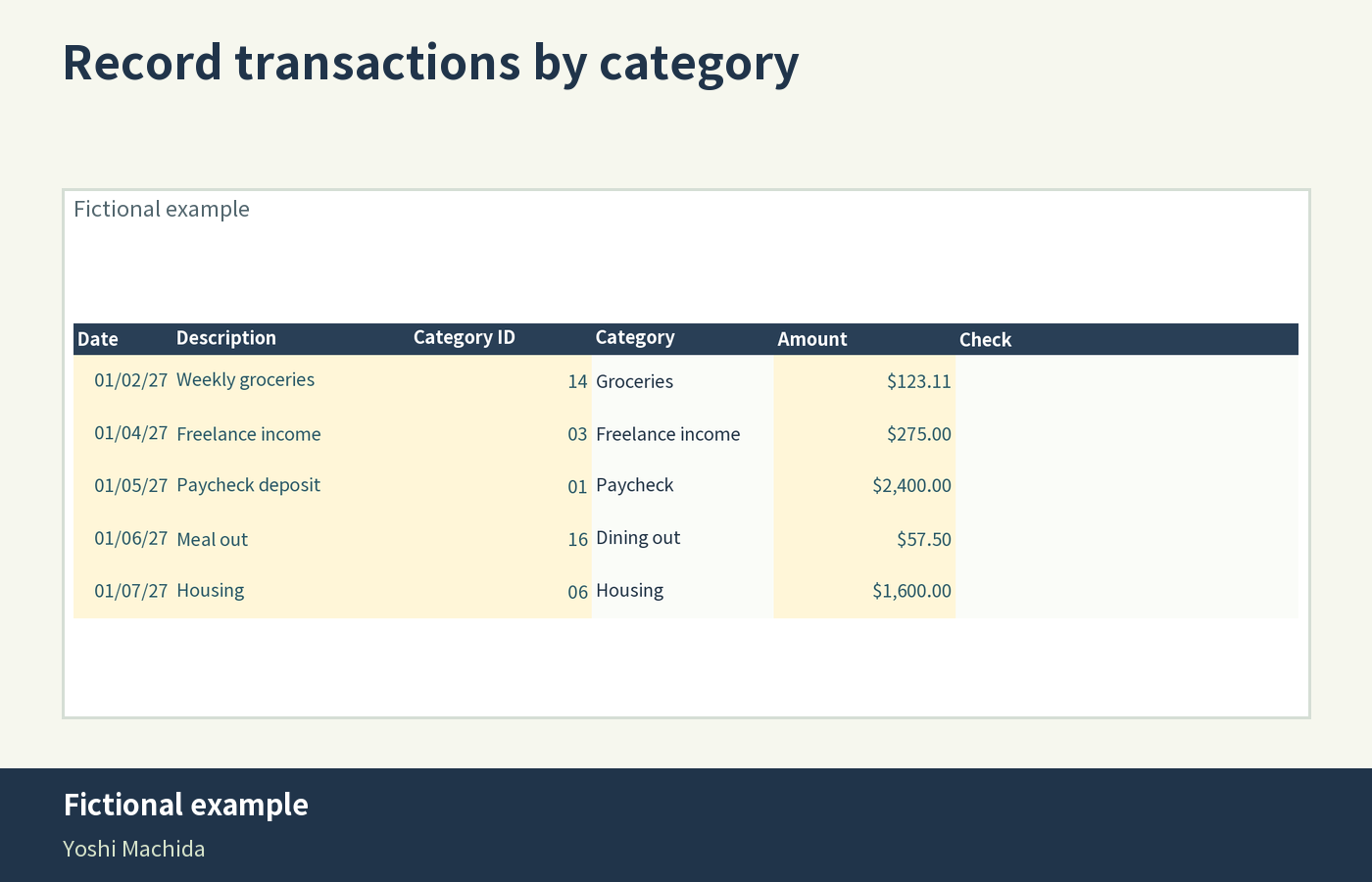
- Space for 120 transactions per month, covering income, expenses and savings.
- Monthly and annual dashboards for remaining balance, savings allocation rate and expense categories over budget.
- Budget-versus-actual charts and expense-group breakdown charts.
- Input checks that flag text or invalid entries in amount and category cells.
- A sage and navy layout, pale-yellow input cells and highlighted totals.
Your download: five files
One ZIP contains a blank, editable XLSX workbook, a four-page English PDF guide, cloud spreadsheet import instructions, a read-me file and the license text for the font used in the PDF guide. Extract the ZIP before opening the files. This is a digital product; no physical item is shipped.
Get started in four steps
- Save a backup of the original workbook and open a working copy in an application that supports XLSX files.
- Read the instructions, enter January's opening balance and set each month's budget.
- Record transactions on the correct month's tab using category codes. The workbook calculates actual amounts from these records; dates do not move entries between sheets.
- Review the differences and remaining balance, then use the annual summary to compare months.
What we tested
The workbook was opened and checked in Excel for the web: the example totals matched, no formula errors were found, and the input rules and highlight formatting worked. Formulas were also recalculated and compared with independent calculations. Desktop Excel, Google Sheets and Apple Numbers were not tested directly. Cloud spreadsheet import steps are included, but chart appearance, formatting and print layout may differ between applications. A desktop or laptop is recommended for entering and reviewing records.
How to read the measures
This is a manual-entry planner. It does not connect to bank accounts or import bank transactions. Amounts are displayed in USD, with no currency conversion.
Savings entries represent money allocated or transferred away from the available budget and are deducted when calculating the remaining balance. The savings allocation rate is recorded savings divided by recorded income, left blank when recorded income is zero or negative. It is a budgeting ratio, not investment growth.
The over-budget count covers fixed and variable expense categories with actual amounts above their planned budgets. Annual over-budget counts compare each category's yearly total with its yearly budget. Expense breakdown charts show positive expense-category totals; categories with net negative totals are excluded, and savings are separate. Review completed months when comparing results. Keep your own copy and record only the information you need for your budget.
Personal household use
You may make copies for your own household and future years. You may not resell, redistribute or share the template as a download.
Help with the included files
For download, file-opening or usage help in English, reply to your purchase receipt to contact the seller. Support covers the included files. Use sample data to describe an issue; do not send bank account numbers or financial records. Custom spreadsheet edits and personal financial advice are outside the support scope.
Refunds
If a file is missing, damaged or materially different from this description, contact the seller so the issue can be reviewed and resolved. Refund requests are reviewed case by case, including a refund where appropriate. Applicable consumer rights and marketplace refund policies remain in effect.
A look inside