Budget spreadsheet: review budget vs actual at month end
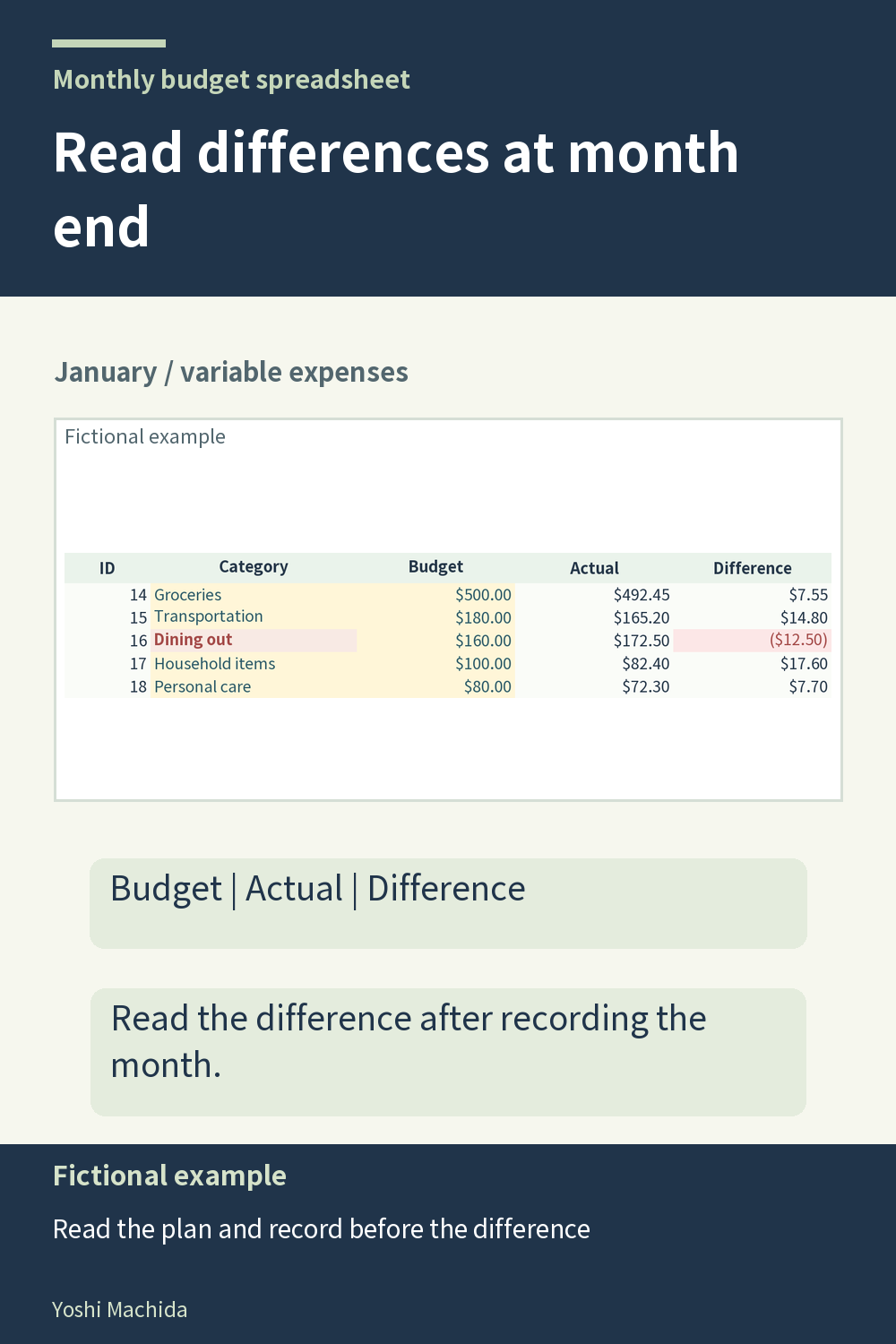
At month end, a difference is most useful when you read it with its two source amounts. This view focuses on several variable expense rows, each with budget, actual and difference columns. Those columns connect the plan with the amounts recorded for the month. Sample figures are fictional.
Choose one row and read three values in order: the planned amount, the recorded amount and their difference. Compare the first two amounts directly before making a note about the gap. A calculated difference summarizes a comparison, but it does not explain the underlying records or whether they are complete.
For an unexpected row, return to the transaction log and inspect the category codes and amounts for that month. Check whether the records are complete and whether they belong on the intended tab. Dates do not move entries between sheets in this workbook. Correct an entry problem at its source rather than editing a calculated difference.
Keep the row's category and type in view during the review. A useful month-end note names the category and records what you checked, instead of labeling every positive figure good and every negative figure bad. This is a way to review the table's information, not a recommendation about your finances. Once the month is complete, use the annual summary to place that month's recorded results beside other completed months.