Monthly budget template: 12 months and an annual summary
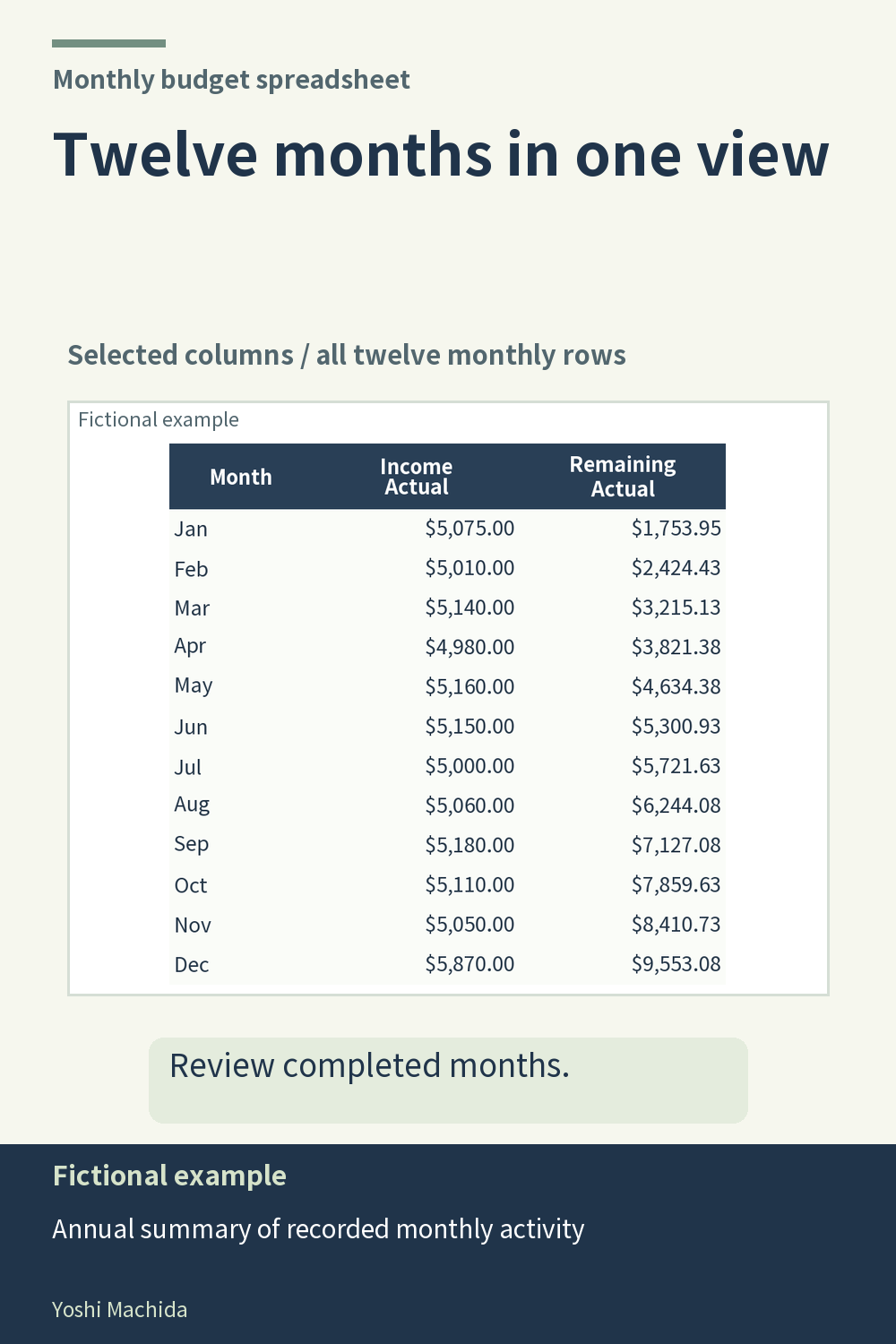
A year summary makes it possible to compare the same type of figure across months without opening every monthly tab. The image shows January through December as separate rows. The planner includes twelve monthly sheets, an annual summary and instructions, for fourteen sheets in total. Sample figures are fictional.
Choose one column to review first, such as recorded income or recorded expenses. Read down that column for the months you have completed. Then move across a particular month's row to see its other figures. Switching deliberately between these two directions is clearer than scanning every number at once.
Before comparing results, make sure the months represent comparable stages of entry. A completed month and a month with only a few records do not describe the same amount of activity. The product guidance calls for reviewing completed months when comparing results. A summary reflects the records entered; it cannot tell whether you have finished collecting them.
For a small review note, write the month and the column heading that drew your attention. Return to that month's sheet to inspect the categories or records behind it. This creates a clear route from the annual view to the underlying detail. The same habit works in any twelve-row summary: use the overview to choose a question, then use the monthly table to check it.